NFC tap check-in
Employees tap an NFC tag at the entrance to punch in or out. No queue at the biometric reader, no shared surfaces.
WorkTap replaces the register at the gate and the leave email thread. One tap on an NFC tag, or a QR scan inside your office geofence, is all an employee does — the day's status, worked hours and leave balances all follow from it, and managers approve leave, corrections and new devices from the admin app.
Employees check in from the app
Get it onGoogle Play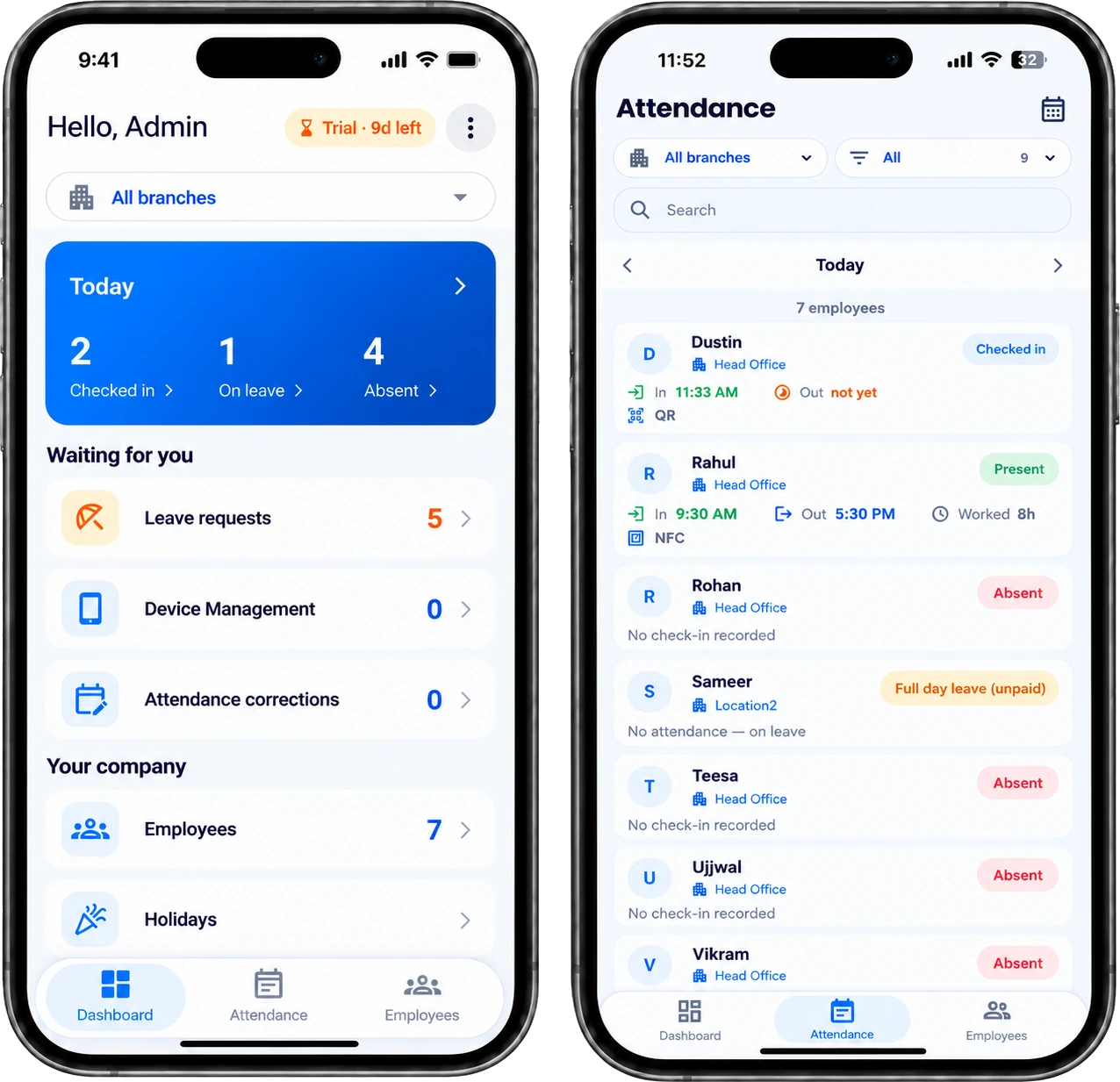
2
Ways to punch: NFC or QR
1
Approved device per employee
14 days
Free trial, every feature
₹499
A month for up to 25 employees, + GST
Everything your team stops doing by hand — from the punch at the gate to the approvals that used to be an email thread.
Employees tap an NFC tag at the entrance to punch in or out. No queue at the biometric reader, no shared surfaces.
A printed QR at reception covers sites without NFC hardware. Rotate the office secret anytime to invalidate old prints, and every scan is checked against the office geofence.
Every NFC and QR punch is checked against the office's GPS fence before it is accepted, so a punch from outside the radius never reaches a timesheet.
Add as many offices as you run. Each has its own GPS pin, radius and QR code; every employee belongs to one; and every admin list filters down to a single branch.
Every punch is stamped with its time, method and office. Employees see their own day and history in the app; admins see who is in, who is out and the hours worked, from the same record.
Define your own leave types and quotas, set the month your financial year starts, and let unused balance carry forward automatically.
Publish your company holidays once, and set the weekly-off pattern — including alternate Saturdays. Attendance and leave balances both respect them.
Missed a check-out? Employees raise a correction from the app with a reason, and an approver signs off in one tap.
One employee, one approved device. New handsets need admin approval, so nobody punches in for anybody else.
Punch in, check balances, apply for leave and see attendance history — all from a phone the employee already carries.
Approve leave, corrections and new devices, see who is in, out, late or on leave, and manage your team — all from the admin app, no laptop needed.
Judge a day by a fixed shift window or a daily-hours target — strict or flexible, per company. A short or late day reads as Half Day, Short Hours or Late / Early, and weekly offs and holidays are never reported as an absence.
No signal at the gate, or the network down? Scan as usual — the punch is saved on the phone with proof of when and where, and goes to the server by itself the moment the connection is back. Up to seven days of attendance can wait on the phone, and nobody has to remember what time they arrived.
Scan the office QR from anywhere and confirm it as a work-from-home day. The day records a real check-in and check-out and counts towards hours exactly like a day in the office — no separate timesheet, and nothing lost when someone works remotely.
An employee applies for leave and every admin's phone lights up. The approval or rejection goes straight back to the employee — no chasing, no email thread.
Fill in the form and we set up your company with you — branches, geofences, leave types, holiday calendar and work-hour rules. 14 days, every feature, no card.
Each employee installs the app and registers one handset. A manager approves it once from the admin app, and only that device can punch for them.
Tap an NFC tag or scan the QR at reception, inside your office geofence. Leave requests alert your admins instantly, and when the trial ends you pay in the app and get a tax invoice by email.
A one-time setup for the company, a one-time fee for each branch beyond the first, then one flat monthly fee. No scanners or biometric machines to buy, no per-punch fees, and nothing counted per employee.
No tiers to compare and no features held back — every workspace gets the same product from day one. Add or remove people whenever you need to; the monthly fee only changes if you pass 25 employees.
₹999one time
Your company, employees and first branch: geofence, NFC tag and QR, leave types, holiday calendar and work-hour rules, all configured with you.
+ ₹299one time
A second site needs its own NFC tag and QR, keyed to its geofence, generated and sent to you. Charged once per branch, never monthly — single-site companies pay nothing here.
₹499/ month
One flat fee for the whole company. Five employees or twenty-five, the price is the same.
₹999/ month
For companies past 25. Move up whenever you need to — your new month starts the day you pay.
3-year plan
₹14,999once · 3 years
One payment for three years, any number of employees. No company setup fee and nothing per employee — extra branches are still charged once each, for the tag and QR we make for them.
Payments are non-refundable. The only exception is a duplicate payment for the same period, which is refunded in full.
Prices in INR, exclusive of 18% GST. Running several companies, or need an on-premise deployment? Talk to us.
Try WorkTap free for 14 days with your whole team. Or tell us about your branches and we'll walk you through the setup.
Email us at [email protected]